Account
How the portal behaves, and what it looks like
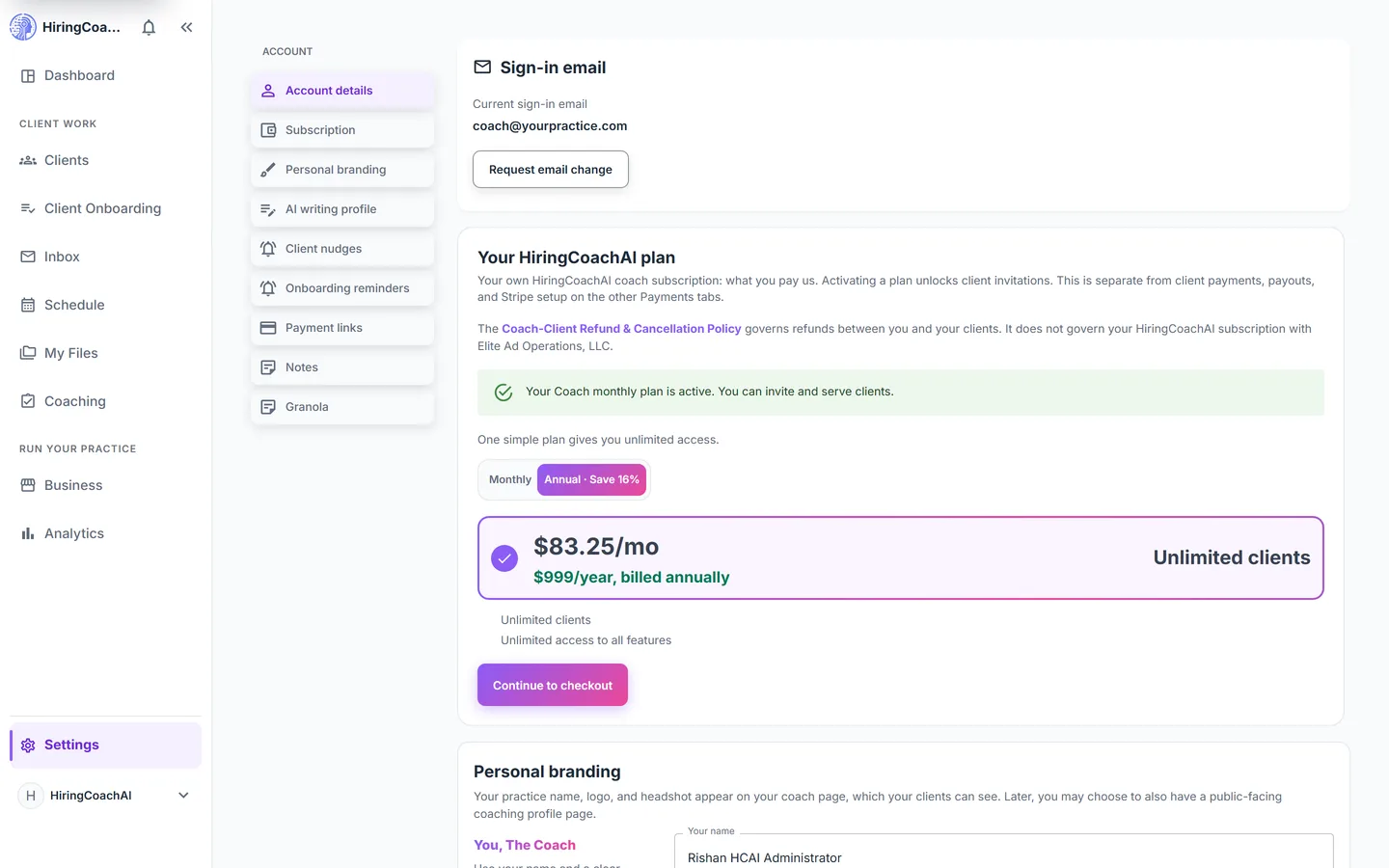
Settings is one page for your account: sign-in details, your subscription, the branding clients see, how AI drafts sound in your voice, payment links, and how long client notes are kept.
Every request is reviewed and we follow up by email.
What you can do with Settings
Account and subscription in one place
See the email you sign in with and request a change through a verification link. Review, change, or cancel your own HiringCoachAI subscription, with a preview of exactly what changes before anything is charged.
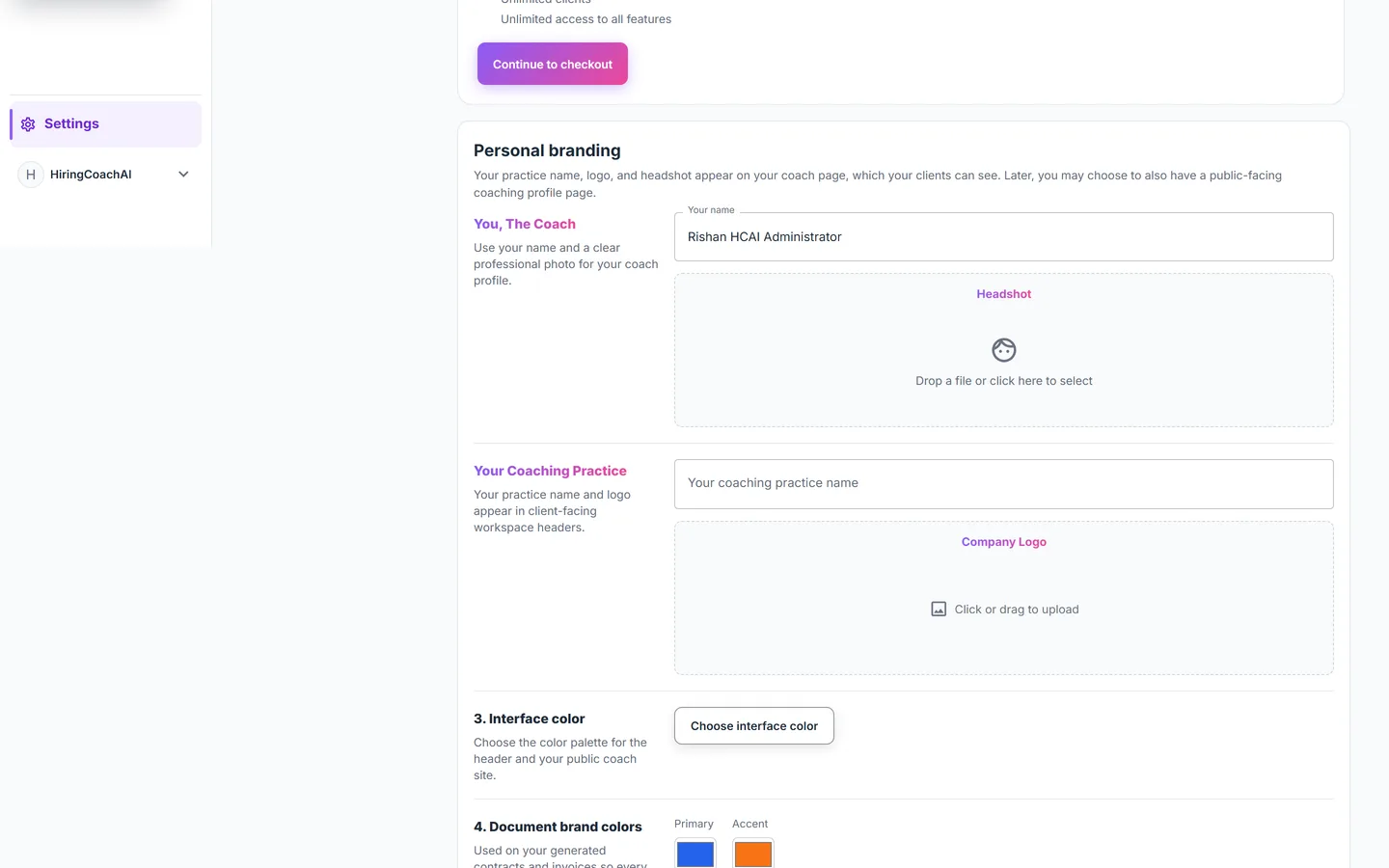
Branding clients see
With an active coach subscription, set a client-facing practice name, a logo, a headshot, and interface colors. Connected clients see your practice name and logo in their coaching workspace; both are preserved if billing lapses and restored when billing resumes.
AI that writes in your voice
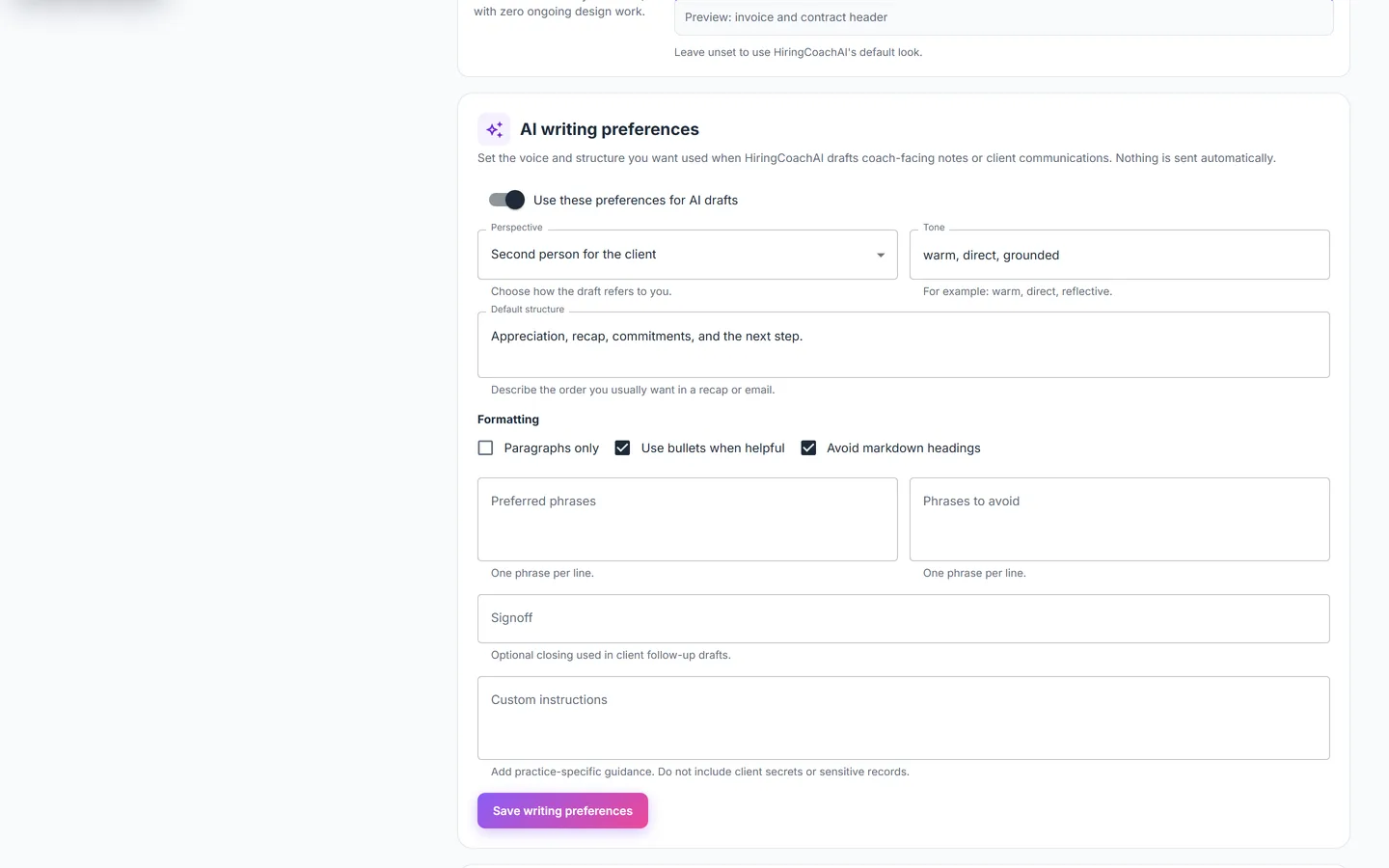
Set perspective, tone, default structure, formatting, phrases to prefer or avoid, a signoff, and custom instructions, or switch AI writing off entirely.
Decide what is kept
Choose whether client notes are full, minimal, or off, and set a default deletion window from one to 36 months that is pre-selected when you close a client relationship out.
Point clients at how you get paid elsewhere
Add a PayPal, Venmo, Zelle, or other link for clients to use. These are links shown in your emails and invoices, and no money moves through HiringCoachAI on them.
Why it matters for your practice
Your name on the workspace
Clients see your practice name and logo in their coaching workspace rather than a generic platform header.
Drafts that sound like you
AI writing preferences apply to the drafts the portal generates, so there is less to rewrite before you send.
Retention on your terms
You decide how much note detail is stored and how long it is kept after a relationship ends.
How it connects to the rest of HiringCoachAI
- Clients
The note mode and deletion window set here are pre-selected when you close out a client relationship.
- Business
Client-facing branding set here appears on the invoices and contract headers built under Business.
- Inbox
Inbox keeps its own preferences for reading pane, density, keyboard shortcuts, and the undo send window.
Bring your coaching practice into HiringCoachAI
Every request is reviewed and we follow up by email.