Client work
Your coaching documents, shared on purpose
My Files is a document workspace for your practice. Upload or write materials, organize them in folders, and share each one with a specific client as a live document or as their own copy.
Every request is reviewed and we follow up by email.
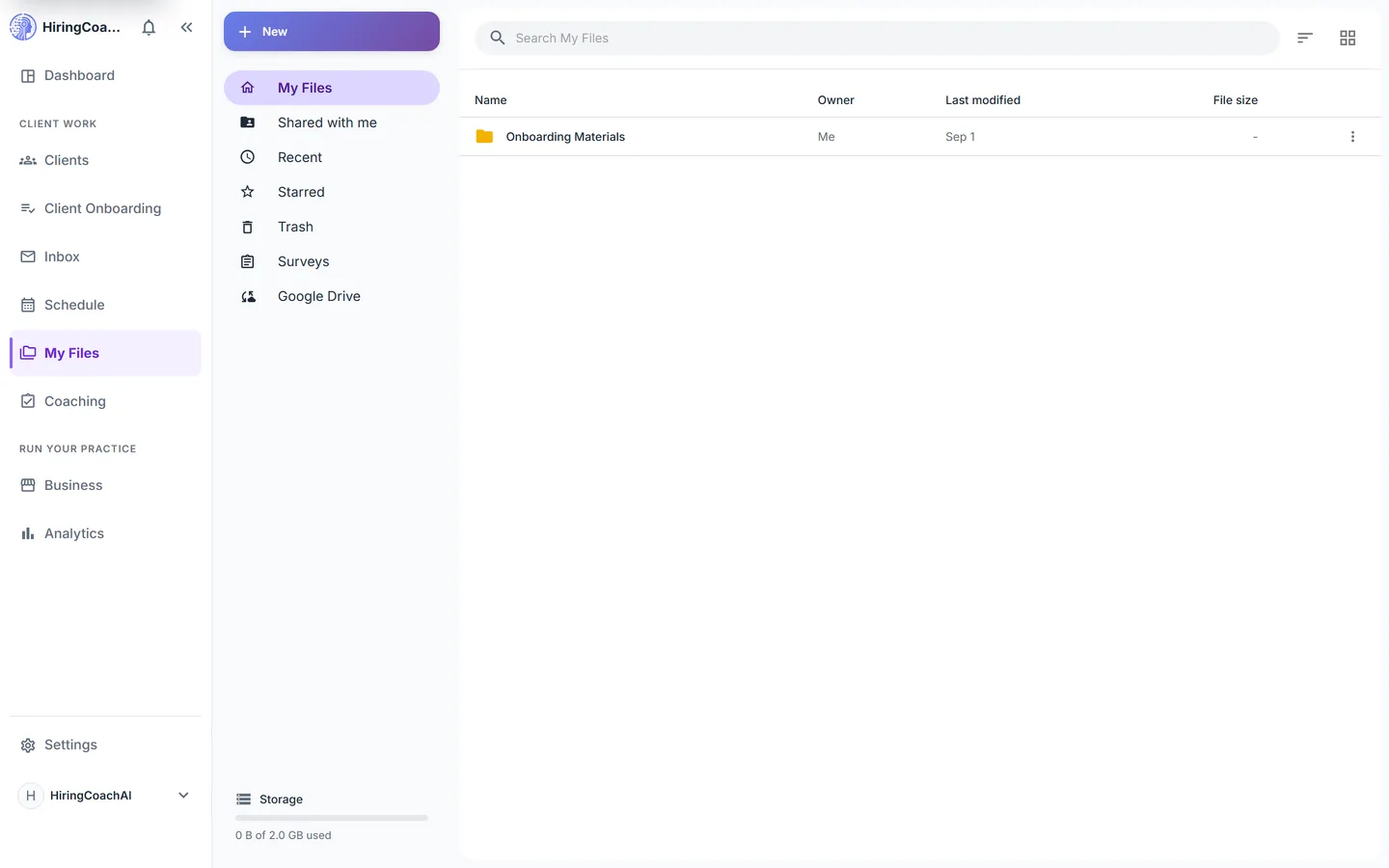
What you can do with My Files
Write documents, not just store them
Start a collaborative document several people can edit at once, with visible collaborator cursors, inline comments and suggestions, version history you can restore, and export to Word, PDF, HTML, or text.
Share the way the moment needs
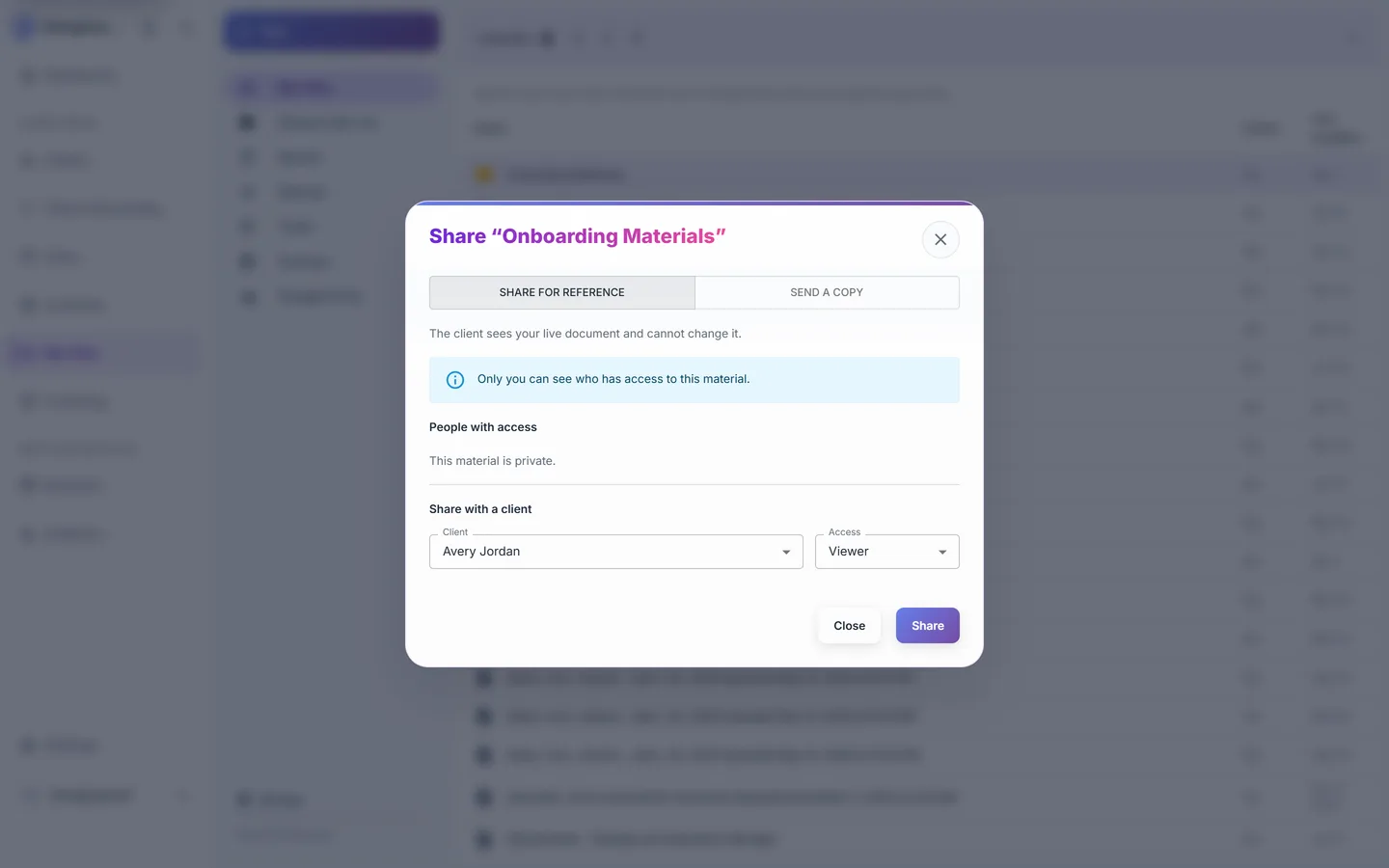
Share a material for reference so the client reads your live document, or send a copy so they get their own editable version. Set viewer, commenter, or editor access per client, and revoke it later.
Bring your Google Drive
Connect Google Drive with per-file access. HiringCoachAI creates one marked folder in your account, and files and folders you add there mirror into My Files. The rest of your Drive stays out of reach.
Ordinary file management, done properly
Upload files up to 15 MB to your connected Google Drive, build folders, star, rename, move, download, and act on a bulk selection. Deleted items sit in trash for 30 days, and a quota bar shows what you have used.
Why it matters for your practice
One library, many clients
Write a worksheet once and hand it to every client who needs it, instead of emailing a fresh attachment each time.
You control access
Access is set per client and per material, and ordinary shares can be revoked when a relationship ends.
Drafts stay yours
Resumes, cover letters, and other work built in HiringCoachAI stay internal unless you export them yourself.
How it connects to the rest of HiringCoachAI
- Client Onboarding
Pin documents and folders to an onboarding flow so a new client receives them at the right step.
- Clients
Shared materials show in the client's workspace next to the goals and assignments they support.
- Coaching
A program lesson can link a private file from here rather than storing a second copy of it.
Bring your coaching practice into HiringCoachAI
Every request is reviewed and we follow up by email.