Client work
One workspace for every coaching relationship
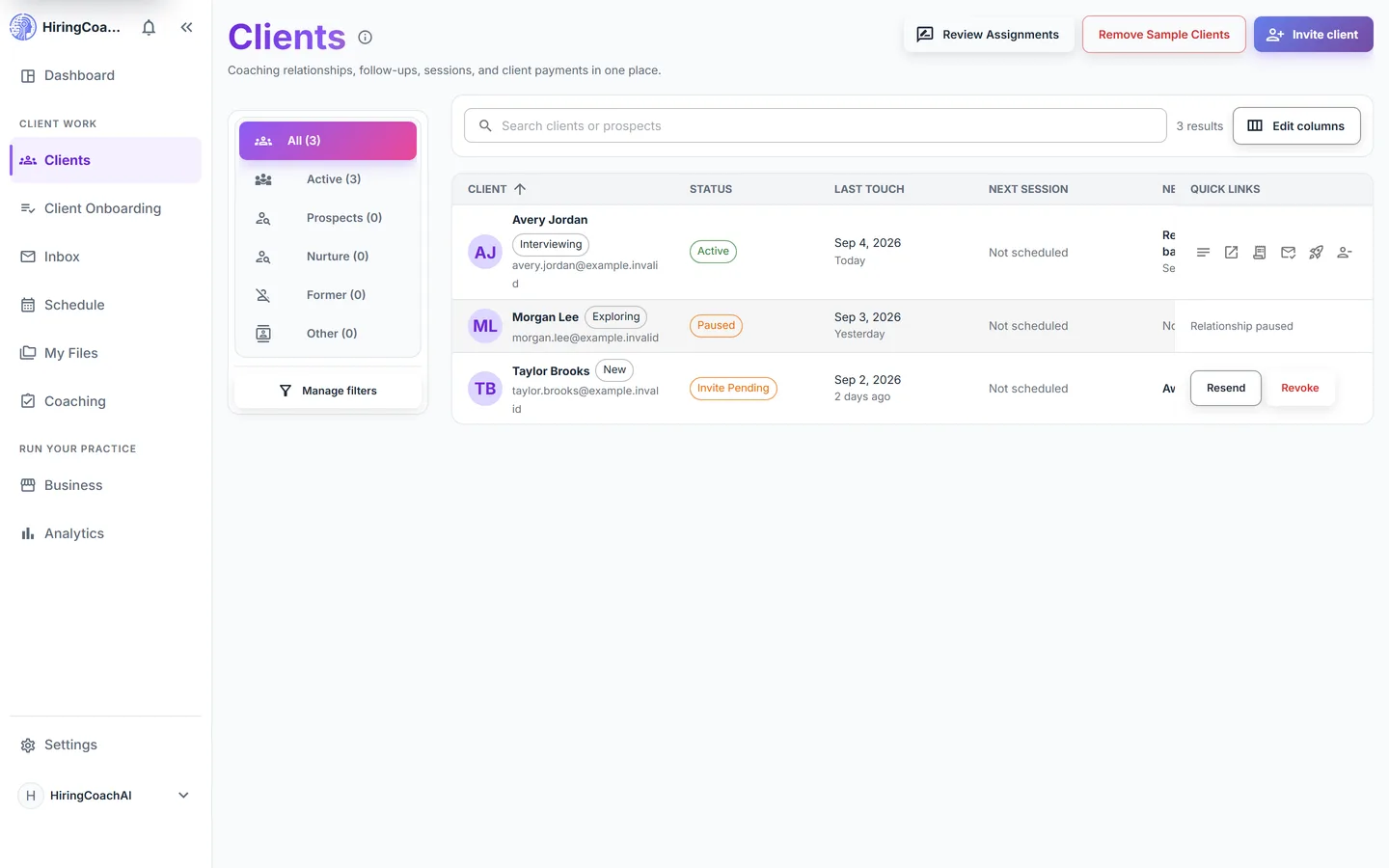
Clients is your roster and your per-client workspace. The list tracks status, next session, and next action. Each client opens into notes, goals, sessions, assignments, and payment records.
Every request is reviewed and we follow up by email.
What you can do with Clients
Sort the roster the way you work
Built-in views split All, Active, Prospects, Nurture, Former, and Other, each with a live count. Save up to 20 custom filters, choose which columns show, and add columns of your own.
Open a client into one workspace
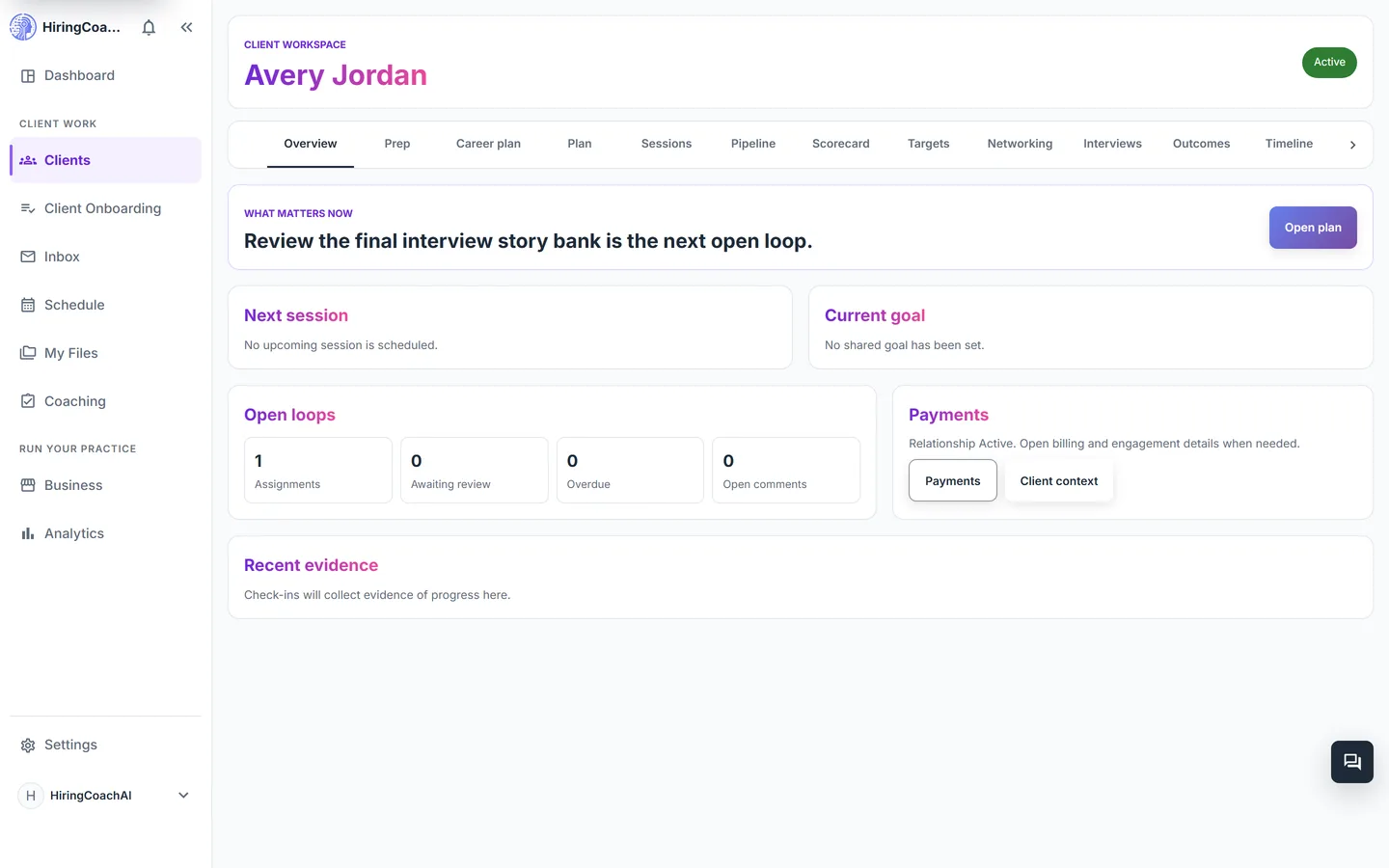
A relationship workspace holds messages, coach-private notes, shared feedback, goals, sessions, assignments, scheduling, payment records, and session credits in tabs you move between.
Walk in briefed
The Prep tab builds a coach-only briefing with the north-star goal, sessions remaining, recent notes, a homework digest, upcoming milestones, and new client documents, plus a shared agenda you can build.
Turn a session into follow-through
With explicit client consent, paste a transcript or your typed notes and review an editable summary, key insights, action items, and homework suggestions before anything is saved or sent.
Clear reviews in one queue
The review queue collects submitted assignments across every client, sorted by urgency, queue age, or promised-by date, and opens on the exact submission.
Why it matters for your practice
Context in one place
You stop rebuilding a client's history from email, a notes app, and a spreadsheet before every session.
Private stays private
Coach-only notes and prep live in the same workspace as shared feedback, on separate surfaces clients never see.
Reusable, not repetitive
Intake questionnaires, sequenced assignment and goal programs, and scoring rubrics are built once and applied to any client.
How it connects to the rest of HiringCoachAI
- Client Onboarding
A finished onboarding flow lands the client in this roster with their agreement, payment, and intake answers already attached.
- Inbox
Messages inside a client's workspace are the same threads you answer from the inbox.
- Schedule
Booked sessions show on the client's Sessions tab and on your calendar at the same time.
- Business
Payment records and session credits for a client sit next to the coaching work they paid for.
Bring your coaching practice into HiringCoachAI
Every request is reviewed and we follow up by email.