Business
The numbers behind your practice
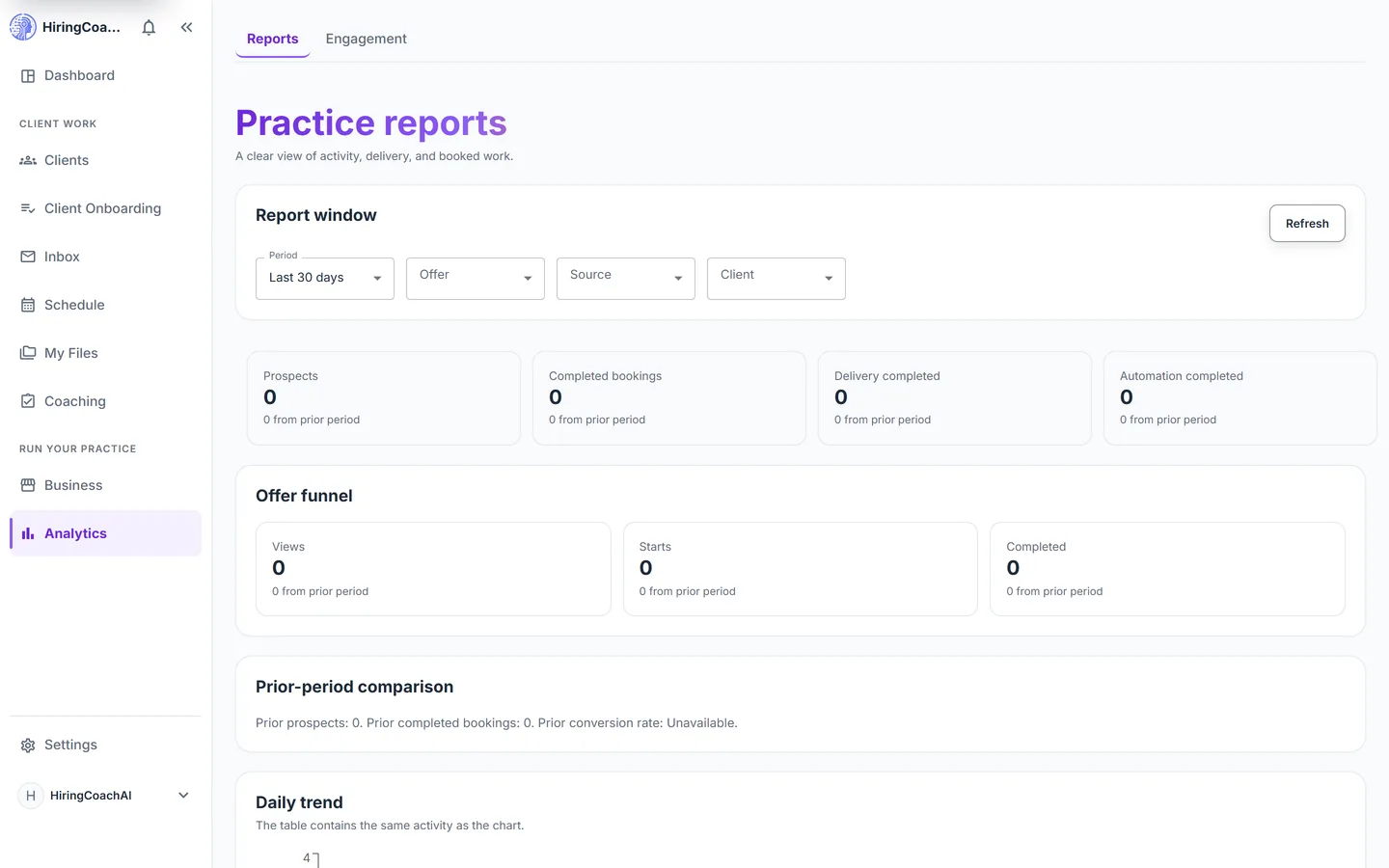
Analytics reports on how your practice is running: prospects, completed bookings, delivery and automation completion, the offer funnel, daily trends, and revenue by currency.
Every request is reviewed and we follow up by email.
What you can do with Analytics
Scope the window, then read it
Pick 7, 30, 90, or 365 days or a custom range, and filter by offer, source, or client. Four headline tiles cover prospects, completed bookings, delivery completed, and automation completed, each against the period before.
See where an offer loses people
The offer funnel counts views, starts, and completed. A daily trend chart plots the same series across the window, with an identical table underneath for anyone who prefers numbers.
Revenue by currency
A table breaks out collected, offline collected, refunded, and current outstanding for each currency you have taken payment in.
Take the data with you
Download a practice CSV, or an ICF CSV either in a privacy-safe form or with client details behind a consent check and a recent sign-in. You can also have a report emailed to you weekly.
Why it matters for your practice
Decisions from numbers
You can see whether prospects, bookings, and completions moved, and compare them against the period before.
Find the leaky step
Views, starts, and completions on one funnel show which step of an offer is worth rewriting.
Records ready to hand over
CSV exports and an optional weekly email put the numbers outside the portal when you need them there.
How it connects to the rest of HiringCoachAI
- Business
The offers, engagements, and payments recorded under Business are what these reports count.
- Client Onboarding
Delivery and automation completion figures come from onboarding flows finishing their steps.
- Clients
Filter a report down to one client to see the activity behind a single relationship.
Bring your coaching practice into HiringCoachAI
Every request is reviewed and we follow up by email.